
Mac incident investigation / Recon by Overwatch
Understand what happened.Know what to try next.
A dropped audio device. An unexpected restart. An app that stops mid-show. Recon helps you make sense of Mac diagnostics and decide what to check next.
The public Mac download is not available yet. A portable, signed release is being prepared.
The investigation, in view
Go from scattered clues
to a useful next step.
Recon brings the findings and the supporting evidence into one report. See what was observed, what remains uncertain, and where each conclusion came from.
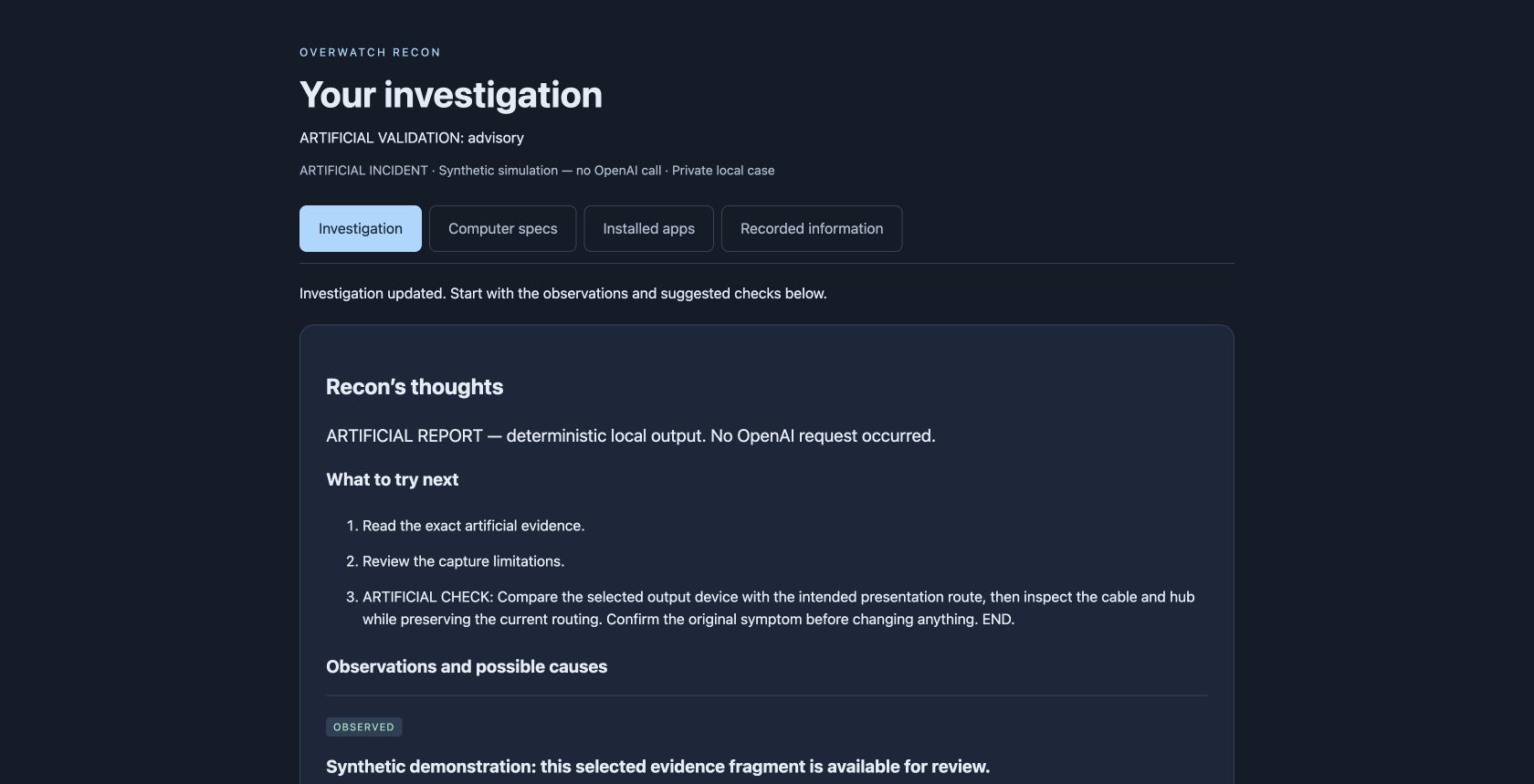
Findings with context.
Observations, possible causes and unknowns stay distinct.
Evidence you can inspect.
Follow a citation to the retained source text and its provenance.
Room for the next question.
Ask follow-ups about the evidence you already approved.
A considered workflow
Four steps. Your control throughout.
- 01
Describe the issue.
Tell Recon what happened, what you were trying to do, and approximately when.
- 02
Review the evidence.
Scan the Mac. Preview the collected sources and exclude information before continuing.
- 03
Choose to analyze.
Review the processing policy and give consent before selected evidence is sent to OpenAI.
- 04
Explore the findings.
Read observations, possible causes and practical next steps. Follow citations or ask a focused question.
What Recon can inspect
The Mac, the apps,
and the surrounding clues.
Useful for application crashes, restarts, and audio, display or peripheral problems. Each source shows its collection status and coverage limits.
A snapshot taken now does not establish what happened earlier. Missing logs do not prove there was no incident.
Mac and connected devices
Available hardware, macOS, storage and device information provide context for an investigation.
Applications and activity
Installed app versions, running applications, processes and accessible startup information. Access and platform limits remain visible.
Network and account snapshots
Available local IP, routes, DNS, proxy and VPN settings, Wi-Fi name, and console/collector account information. These identifiers are disclosed before analysis.
Diagnostic and application logs
Accessible crash reports and supported existing Companion and Dante Controller logs, collected automatically during the scan.
Current adapters cover source-verified Companion desktop versions 3.5.5, 4.0.3, 4.2.6, 4.3.4, 5.0.7 and 5.1.1, and the locally verified Dante Controller 4.18.1.1 layout. Custom paths and other versions remain explicit gaps. Reading a log does not establish useful incident coverage.
Collect and review first.
The current pilot keeps collection on the Mac until you review the sources and authorize analysis. Source selections and the processing policy are tied to that consent.
Analyze selected evidence.
Bounded evidence, your incident description and follow-up questions are sent to OpenAI. Selected diagnostics can contain identifiers and confidential text. Provider retention is separate.
A few practical answers
Know the scope.
Does Recon repair the Mac?
No. It provides advisory findings and suggested manual checks. It does not repair the computer or provide remote control.
Does it work entirely offline?
Collection and review happen locally. Live analysis uses OpenAI after consent and requires a connection and configured processing access.
Can I download it today?
The public Mac package is being prepared. The current development pilot is not a portable public installer. See release availability.
Which Macs are supported?
Public system requirements are not finalized. The current pilot has been exercised on an Intel Mac. Apple Silicon and broader macOS installation testing are still pending.
Recon for Mac
A clearer next step starts here.
Explore the current release status and what is being checked before the public download.
Read release notesThe public Mac download is not available yet. A portable, signed release is being prepared.
Mac release details